Installer App

Monday, January 19, 2009

HTML clipboard

Installer App Updated

Installer App

When Apple announced the iPhone Apps Store many had predicted that it would be the end for the popular homebrew Installer app and the Jailbreak apps.

It has been several months since the launch of iPhone App Store and the jailbreak apps still seem to be popular with iPhone users.

However its the Open Source Package Installer and Handler for the iPhone, Cydia that is now more popular with iPhone developers and users than Installer App to install the jailbreak apps.

Folks at RIP Dev who have just released an updated version of Installer App to bring it on par with Cydia.

Update (Nov 13, 2008):

Readers TRIXXY DIXXY, Aaron and Energy have reported that the Installer update has bricked their iPhone 3G. Its strange as I haven't faced this issue. However, based on their bad experience I would advice you to proceed with extreme caution.

Installer app was developed to simplify application management on the jailbroken iPhone and was released almost a year back. It quickly became one of the popular iPhone apps as it made it very easy to install jailbreak apps which until that point was a complicated process and was only for the technically inclined users.

Below is a list of enhancements and bug fixes in the latest version of Installer app:

  • Added user-driven ratings. We encourage you to submit your votes for various packages. Once more data will be collected (in a few days), that will be reflected on the Featured page.
  • SpringBoard is no longer terminated after the software was installed or removed.
  • Proxies are (again) supported. The support was broken after we moved to libcurl.
  • Introduced download timeouts (again) that were disabled after the move to libcurl.
  • Reworked many parts of the engine in an effort to get rid of the occasional GUI stalls.
  • If a particular source fails to update, it will be moved to “disabled” state for 6 hours and will not be included in the all sources refresh process. The disabled state is listed as the source icon with a red “stop” sign over it. This is done to prevent unnecessary stalls at the sources refresh if one of the sources goes offline for whatever reason. If you’d like to retry it before 12 hour interval, open its info and hit Refresh button there.
  • Removed customInfo support as it was mostly used for unnecessary ads that were disturbing many people. These pages are normally reachable from the “More Info” link.
  • Much better error reporting. Forget these “error 3″s and such. The descriptions are much more human readable now. And for script errors, it will show an actual script command that caused an error.
  • Installer will prevent iPhone/iPod touch from sleeping when it’s downloading or installing something.
  • The app icon badge should behave better now.
  • Lots of smaller fixes and optimizations.

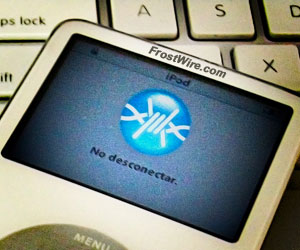
One of the interesting features in the latest version of Installer app is the ability to rate an unofficial iPhone applications or packages as seen in the screenshot below:

Installer App

However, as Doug over at InstallerApps (the blog) points out:

"Unless they get past the source compatibility issue(and can use Cydia sources too), then it will take a long time to catch up."

Competition is always healthy so it is good to see folks at RIP Dev releasing the much awaited update. They are also promising that there will more frequent updates.

Summerboard

HTML clipboard

iPhone Summerboard Source, Installer and Tutorial

Are you looking for the Summerboard source, Summerboard installer or a Summerboard How To Tutorial? Then come here and learn some basic stuff about Summerboard and customize your iPhone and or iTouch. First, let's learn more about Summerboard.

What is Summerboard?
SummerBoard is an extension to the iPhone and iTouch SpringBoard. It enhances the user experience by adding a variety of useful and fun features to your iPhone or iTouch. Some of these features include scrolling icons, wallpaper and customized themes.

Where can I download Summerboard?
SummerBoard is available from AppTapp's Installer, simply install AppTapp onto your iPhone (if you haven't yet) and install the SummerBoard package. You can get the latest version of Summerboard here.

Source By www.pinoylottowinner.com

Buy Cell Phone

Tuesday, January 13, 2009


The idea of a test drive is notorious for automobiles and other large investment pieces of technology. Walk into the computer store and you can try out the new laptop before buying it and take snapshots of the clerk with the on display digital cameras. You can even walk into the store and try cell phones. But what if you don’t want to go to the store? For users who do not want the overbearing sales person, online tutorials are a saving grace. One market capitalizing on this trend is the mobile phone arena.

Blackberry is one high-tech company offering an online trial of their product line. Log onto Blackberry.com, navigate to the Blackberry 101 tutorials and you will be presented with a flash based user guide of the phone you select. The entire interface is truly an experiment in adapting physical products to a digital realm. The tutorial is presented in a booklet like fashion with details on the left and animated images on the right. To further ‘enhance’ the translation of the physical booklet, users are required to actually page through the tutorial by clicking and dragging the corners of pages to navigate forward and back. Now, I mentioned this tutorial first as it seems to offer the best overall navigation and interaction. Simple chapters list the current progress and the consistent use of animation keeps the entire interaction very pleasant. I can’t help but be bothered by the direct translation to paging though. To reference Alan Cooper, it is important to take into consideration the technology being used when a product is digitized. The fact that a physical product allows paging, thumbing through corners, and tabbing is completely lost in this digital world.

Blackberry's use of guide books as tutorials

Blackberry

Still, Blackberry is not the only company trying to solve the problem of how to present a physical form through a two-dimensional screen. T-Mobile has a different solution to the online tutorial. Seen here, the G1-Android is displayed in a combined flash and html tutorial. The use of video sketches to show real world applications of the system helps understand what makes this device different and how easy it is to use. The separation between ’See’ ’Learn’ and ‘Do’ provides laymen terms of how to use the device. Still, there is almost no interactivity here and it is near impossible to navigate through the chapters. Another oddity of this tutorial is the mix of digital ‘form’. As you navigate through the three main topics, the site switches between flash and html. Not only jarring to the user this shows a lack of communication from the design teams.

Section 1 of G1 Android Tutorial, Flash Based

Section 1 of G1 Android Tutorial, Flash Based

Section 2 of G1 Anroid Tutorial, HTML based

Section 2 of G1 Anroid Tutorial, HTML based

To change paces, we cannot discuss mobile device tutorial without mentioning Apple’s iPhone. The product is presented in a one-on-one discussion with the user highlighting the events and actions the phone can take. Not to dwell on this too long, as this has been on the market for some time, the personal face to face discussion helps bring a human connection to the product. Still, it is near impossible to navigate to a specific section of the tutorial and to know what’s next in the discussion.

iPhone

Regardless of how you feel about any of these devices, these three examples show hands down the possibilities of online tutorials and interactivity. All of them are better than the standard pogo sticking method of archaic terms and static images. I can’t help but feel the use of flash needs to be checked at the door and more thought needs to be put towards combining interaction methods. I look forward to when the Flash obsession has truly passed and we are able to experience more cohesive tutorials that not only engage us like Blackberry, but have the emotional content of Apple along with a natural and easy interface.

This is by no means an all inclusive review of online tutorials but by reviewing the three self proclaimed leads of mobile technology an overall feel of the direction the industry is going can be reached. Let’s see what the next generation of smart phones has to offer technically and how the companies behind them market themselves as standing out from the pack.


The idea of a test drive is notorious for automobiles and other large investment pieces of technology. Walk into the computer store and you can try out the new laptop before buying it and take snapshots of the clerk with the on display digital cameras. You can even walk into the store and try cell phones. But what if you don’t want to go to the store? For users who do not want the overbearing sales person, online tutorials are a saving grace. One market capitalizing on this trend is the mobile phone arena.
Blackberry is one high-tech company offering an online trial of their product line. Log onto Blackberry.com, navigate to the Blackberry 101 tutorials and you will be presented with a flash based user guide of the phone you select. The entire interface is truly an experiment in adapting physical products to a digital realm. The tutorial is presented in a booklet like fashion with details on the left and animated images on the right. To further ‘enhance’ the translation of the physical booklet, users are required to actually page through the tutorial by clicking and dragging the corners of pages to navigate forward and back. Now, I mentioned this tutorial first as it seems to offer the best overall navigation and interaction. Simple chapters list the current progress and the consistent use of animation keeps the entire interaction very pleasant. I can’t help but be bothered by the direct translation to paging though. To reference Alan Cooper, it is important to take into consideration the technology being used when a product is digitized. The fact that a physical product allows paging, thumbing through corners, and tabbing is completely lost in this digital world.

Blackberry
Still, Blackberry is not the only company trying to solve the problem of how to present a physical form through a two-dimensional screen. T-Mobile has a different solution to the online tutorial. Seen here, the G1-Android is displayed in a combined flash and html tutorial. The use of video sketches to show real world applications of the system helps understand what makes this device different and how easy it is to use. The separation between ’See’ ’Learn’ and ‘Do’ provides laymen terms of how to use the device. Still, there is almost no interactivity here and it is near impossible to navigate through the chapters. Another oddity of this tutorial is the mix of digital ‘form’. As you navigate through the three main topics, the site switches between flash and html. Not only jarring to the user this shows a lack of communication from the design teams.

Section 1 of G1 Android Tutorial, Flash Based

Section 2 of G1 Anroid Tutorial, HTML based
To change paces, we cannot discuss mobile device tutorial without mentioning Apple’s iPhone. The product is presented in a one-on-one discussion with the user highlighting the events and actions the phone can take. Not to dwell on this too long, as this has been on the market for some time, the personal face to face discussion helps bring a human connection to the product. Still, it is near impossible to navigate to a specific section of the tutorial and to know what’s next in the discussion.

iPhone
Regardless of how you feel about any of these devices, these three examples show hands down the possibilities of online tutorials and interactivity. All of them are better than the standard pogo sticking method of archaic terms and static images. I can’t help but feel the use of flash needs to be checked at the door and more thought needs to be put towards combining interaction methods. I look forward to when the Flash obsession has truly passed and we are able to experience more cohesive tutorials that not only engage us like Blackberry, but have the emotional content of Apple along with a natural and easy interface.
This is by no means an all inclusive review of online tutorials but by reviewing the three self proclaimed leads of mobile technology an overall feel of the direction the industry is going can be reached. Let’s see what the next generation of smart phones has to offer technically and how the companies behind them market themselves as standing out from the pack.

This article is written by
David Farkas.

Unlock 3G

HTML clipboard

Unlock 3G iPhone

A lot of iPhone users haven’t been patient enough to wait for this unlock 3G iPhone solution but opted to try a hardware solution instead. Hardware unlock is basically a sim card which will fool your iPhone that it is connected to AT&T network, and you simply insert it in your iPhone together with your network carrier sim. There have been more brands of this sim cards but non of them seemed to work 100% all the time. In fact, most of them had some serious issues like frequent loss of signal, many of the iPhone goodies didn’t work or worked sporadically like 3G connectivity, Google maps, Youtube and other services which really make iphone a cool gadget. Most reliable unlock iPhone sim cards were those made by Universal, Rebel Sim and Gewey.

The cost of the sim unlock iPhone was also prohibitive. Those cards can be purchased for $10 – $50 depending on the brand, vendor and tech support offered. And if you need to unlock iPhone really fast you lose again as the shipment takes as for any physical item, at least a few days. And finally if you receive your unlock Iphone sim card you should insert it carefully or it could physically damage your iPhone. So if you compare the software and hardware unlock solution it seems that the hardware used to unlock iPhone will definitely lose its popularity among iPhone users worldwide.

Hardware unlock is expensive, complicated, prone to failures and generally a slow to implement solution. Software unlock made by the Dev team is on the other side a free, easy and instantaneous solution. And by the way, if you have by mistake upgraded your 3G iPhone to 2.2 firmware you will not be able to use your previously hardware unlocked iPhone so you have no other option but to use the new software unlock made by Dev team.

After patient waiting for a real solution now we have a software that will unlock iPhone 3G. On the January 1 our friends from the Dev team have finally released the software with codename Yellowsn0w. However Yellowsn0w is still in the testing phase and as it is so fresh it probably contains some bugs and issues which can cause you problems. So if you are not really an experienced geek who can unlock 3G iPhone in a few minutes it is advisable not to use it at this moment. So the first step would be to check which firmware version you are running on your iPhone. To unlock iPhone 3G you need to have 2.2 firmware and baseband 2.28.00. Its easy to check which firmware you currently have by going to Settings – General – About. If you have the new firmware and baseband version you are ready to go, but if not you should upgrade to 2.2 and then jailbreak your iPhone (with Quickpwn only).

After the jailbreak please start Cydia and point to the source which can be found at CYDIA: http://apt9.yellowsn0w.com installer: http://i.yellowsn0w.com Now all you have to do is to install Yellowsn0w. Insert your sim card and restart your iPhone. You should wait for a minute or two for the carrier lock. If you still can not connect to the network carrier please take the sim out again , insert it and reboot and it should work without any further problems.

Author
admin

Unlocked Sony Ericsson Phone


first we must have a data cable include the pc suite cd.make sure the GPRS setting is active.because i use a mentari sim card for example GPRS SE K660i send to 3000.if the pc suite cd have been installed in pc. now is connect a data cable into the mobile phone and wait until the warning explain K660i connected.and then open the pc suite program there a lot off option for internet begin. we just click the internet connection.i almost forgot before begin the internet connection,setting the mobile phone like this.open menu-setting-connectivity-USB-USB network-USB network type-choose off and then make a new connection,there have a operator option.i suggest make a custom connection.
user name : indosat@durasi
password : indosat@durasi
dial tone : *99***3#
then just connect the mobile phone.
email me at http://www.blogger.com/mifcybercafe@gmail.com goodluck.

Unlock Mobile

Unlock Mobile phone with Sim Lock

Unlock Mobile phone with Sim Lock

Sim Lock is Useful tool, to unlock mobile phone, just insert to programm model, IMEI, country and your operator. Its give you code which you need to insert on your mobile.

Availabe works with :
1. AEG or Telital
  • 9050, 9070, 9080, 9082, A820, D800, J520, J530, S200
2. Alcatel
  • HC-800, HC-1000, Hx1
3. LG
  • 1200, 1300, 510, 520, 510W, 7010, 7020, B1200, B1300, C1200, G510, M1200, M1300, W3000
Maxon :
1. NEC
  • C313, C316, E606, E613, E616, E808
2. NOKIA
  • All Nokia Cell phone is support
3. Samsung
  • A300, A400, A800, E400, E500, E700, E715, M100, P400, S100, S105, S300, S307, S500, 600, 2100, V200, X100, X600, R210 (its Universal)
Simens
  • 8008, CL50, CL55, ST55, ST60
Sony
  • CMD-C1, CMD-CD5
Panasonic
  • A100, G50, GD50, G51, G51M, GD55
Vitel
  • TSM-3, TSM-4, TSM-5

By Kamalepatel.blogspot.com

Samsung Unlock

Samsung Unlocking: Providing You with More Versatility
Did you just discover that your cell phone is locked and you want to unlock it? In the past locked cell phones weren't a big concern because they weren't as disposable as they are now. Today, if you decide that you want to take your SIM card out of one phone and put it in another you should be able to do it, in theory at least. Unfortunately, if you take a SIM card in a working phone and put it into another phone it may not work. Why? Because the phone is locked. Luckily, you can unlock Samsung phones with relative ease.
If you find that your cell phone is locked it is not the end of the world and there is a way to unlock it so you can use the phone as you wish. A very simple and straight forward way to unlock your phone is to call your network provider associated with the phone. Try samsung unlocking for your Samsung cell phone. In most cases you can simply tell the provider that you would like to unlock the phone. When you do this they will usually be able to unlock the phone immediately, or within a few hours time. This will allow you to place any SIM card in your phone and use it, which gives you the versatility that you are looking for.
If your network provider does not want to provide you with the unlocking, you can still use the phone you just have to take matters into your own hands. You can find Samsung unlock codes on your own. There are a lot of different services that you can find via the internet that will provide you with all of the unlock codes that you could need for any phone that you want to use. You simply enter in the code and your phone is unlocked. At this point you should be able to place any SIM card in the phone.
If you are going to be traveling internationally it is important to have an unlocked cell phone. The reason for this is that you may have to replace the SIM card that is already in your phone with one that is from that country for it to work properly while you are there. If your phone is not unlocked it will not allow for you to use it when you are in another country.
Having an unlocked phone will allow you to use your phones as you wish. If you want to use one phone instead of another you should be able to, because it is not the phone that belongs to the network or that allows for you to use a network, it is the SIM card within it that stores all of the information, so the SIM card should be able to be put in any phone that you want, so long as the phones that you are using are unlocked!

About the Author
Caitlina Fuller is a freelance writer.

Phone Smart

Phone Smart Teaching Telephone Review


Type-A Mom Gift Guide - Gifts for Preschoolers
Written by Caroline Jorgensen
Wednesday, 19 November 2008
Does your child understand how to use a telephone? Does your child know their own telephone number? Would he or she know what number to call in an emergency? Learning Resources has created a new interactive toy called the Phone Smart Teaching Telephone. Educational, personalized and just fun - you might want to consider this toy for your home as well.

Purchasing the Phone Smart Teaching Telephone or learning more about it, at the Learning Resources website.
As soon as I pulled this toy out of the box, I realized it wasn’t your typical phone. (But with a listed price tag of $42.95, I expected it wouldn’t be.) This phone is all about teaching your children how to use a telephone correctly. To accomplish this, it is designed with three modes: Free play, Quiz mode and Emergency mode.

In Free Play mode, kids are taught how to dial numbers in the correct sequence. They can try dialing any of the nine preset telephone numbers (which are listed on a rotating dial on the handset). For example: Toy store, movie theater, etc. If the call is dialed correctly, a voice will answer at the location – like a real phone would. Or while the phone is on and in free play mode, the phone may also ask “Let’s call the bakery”, and then your child can use the given number to try calling the bakery. Pretty cool!
But the best part of this mode is the option to preset three of your own numbers and add a recorded message such as “You’ve reached Daddy’s office”. This option is a very fun and important teaching tool for your kids. And there was no doubt about it – my kids loved playing with this feature over and over.
In Quiz mode, the phone will ask children to dial the numbers that are asked – somewhat like “Simon Says”. It is another way for children to understand how to dial numbers in a sequence correctly.
In Emergency mode, the sole purpose is to have your child learn how to dial and memorize the number 911. No doubt about, this is an excellent feature about this phone.
Please note however, this toy is not appropriate for any child under three in my opinion - or for any child who does not know their numbers or have the attention span required for it. My two-year-old happened to be next to me as I put it together. While he was initially very excited to see a new toy phone, he tossed it aside within minutes because he was too young to understand what made this phone unique. But when I called in my 5-year-old, he had a very different reaction. He was enthralled and, with my help, he continued playing with it throughout the afternoon.

The bottom line is that this toy is not your typical toy phone – it is a teaching phone. For the best results, parents and children should play with this phone together. If it is not played with correctly, it could wind up in the toy box with the other, regular, non-interactive phones. But if you are willing to help your child use this phone properly as an educational tool, I think it is a very important purchase indeed.
If you are interested in purchasing this phone or learning more about it, please visit the Learning Resources website.

Cell Phone Mobile

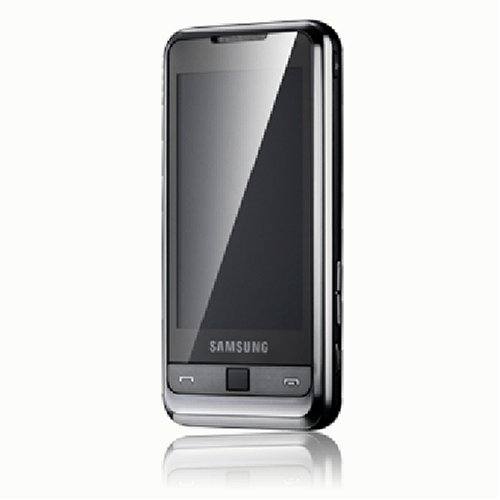
mobile-phones-samsung-i900-omnia.html"> Cell Phones Mobile - Samsung i900 Omnia Unlocked Cell Phone with 8 GB Memory, 5 MP Camera, GPS, Wi-Fi, MicroSD, Windows Mobile 6.1 - International VersionMobile Phones - Product Description
HTML clipboard
The Samsung OMNIA allows you to switch seamlessly, with a stroke of your finger, between Microsoft Outlook email and productivity applications that replicate the look and feel of a PC. Based on the most up to date Windows Mobile 6.1 Professional operating system, Samsung OMNIA gives users a mobile extension to their PC experience, with access to Microsoft Office documents such as PowerPoint, Excel and Word. For ease of navigation, an optical mouse similar to those on laptop computers offers improved usability and one-handed control. MultiCodec support for DivX, Xvid and other video formats eliminates the hassle of file format conversions. Cell Phone Mobile Samsung OMNIA also comes with a 5-Megapixel CMOS camera with the latest value-added features, which include auto-focus (AF), face and smile detection and auto-panorama shot. Samsung OMNIA also offers GPS, including navigation and geo-tagging capabilities. Samsung's TouchWiz user interface makes entering data and text simple. With unique widgets, users can customize and personalize the way they use their phone. The Samsung OMNIA's high-resolution touch-sensitive screen uses intuitive tap, sweep, drag and drop operations as well as an on-screen QWERTY keyboard. It also facilitates easy and convenient calling and txt-ing with a dedicated dome key for controlling communications. With maxi-phone capabilities, it boasts a slender, chic form, so users can step out in style. It features an ultra-slim 12.5mm profile and a platinum-look finish that fits snugly in the palm of the user's hand. HSDPA (7.2-Megapixel), EDGE / GPRS 850/900/1800/1900 Network Microsoft Windows Mobile 6.1 Professional Not sold with a USA manufacturer's warranty.

Cell Phone Unlocked

Friday, January 9, 2009

Just about everyone these days has a cell phone. Heck, even I have a cell phone. I don't do much with it besides text my family, but I have one just in case of an emergency. I am certain that is the reason most adults have one, so I know I am not alone. But, what are
What does "Unlocked" mean?
When you purchase a phone domestically from a service provider such as Cingular or T-mobile, the phone is going to be "locked" into their service. This means that the phone will reject other SIM cards from other providers. But, by clicking on the link above, you'll see that UStronics offers a solution, they provide unlocked phones direct from the manufacture that are compatible with any GSM provider, interchangeably! Now, that's a great deal!
I use a Virgin Mobile prepaid cell phone, and the phones are nice, but not as nice as the ones they constantly show on television ads. What if I could get a fancy phone that would work with Virgin Mobile services? Now, I could go all high tech and still keep my cheaper service plan. I'd like that. A lot! And, I wouldn't be alone. My lovely wife starts to drool every time she looks at a Blackberry or some other high priced phone that Virgin Mobile doesn't offer yet. She'd be tickled pink to have one of those with her phone service.
Now then, what about you? Wouldn't you like to keep the service plan you already have, yet be able to use a different phone with that service? Of course you would, who wouldn't? So, what are you waiting for? Zip on over to UStronics by clicking the link above and see what you can get for yourself or a loved one.

Posted By Fwidman.